.png?width=250&height=34&name=BS-logo-pb%20(1).png)
Once a Buy Plan Template (BPT) has been assigned to a retailer: Any changes made to the template will NOT flow through to that retailer’s existing Buy Plan
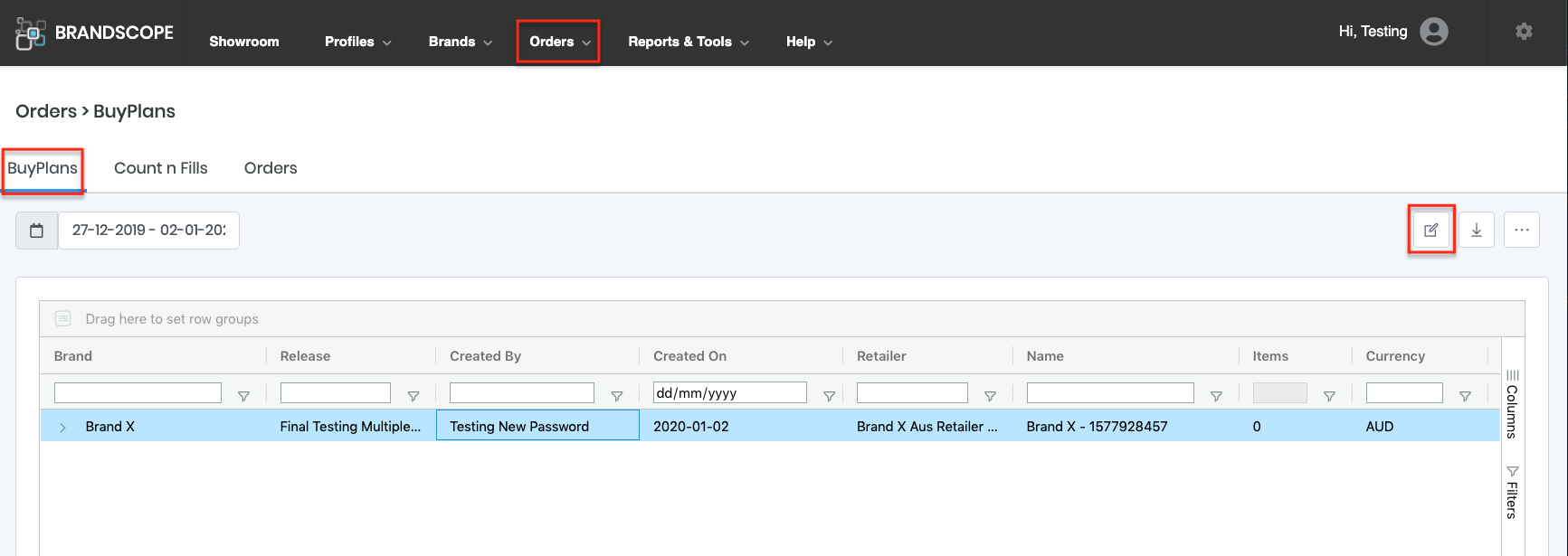
- Hover over ORDERS from the top main navigation bar and select BUY PLANS.
- Use the search box at the top of the column to find the relevant Buy Plan.
- Select the Buy Plan and then select the EDIT icon.
- You can then edit your Buy Plan as per normal.
🗒️ Note: If you have already made the required amendments to the BPT, you can delete the retailer Buy Plan and assign your BPT again.