.png?width=250&height=34&name=BS-logo-pb%20(1).png)
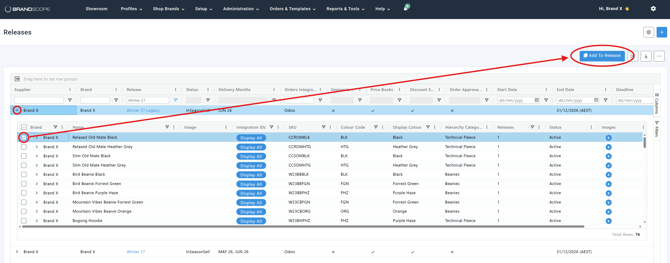
Steps:
- Setup → Releases
- Highlight the Release → Click the little arrow next to your brand name
- Add products to release: From the release management screen, select the products inside the release you wish to assign, then click the Add To Release button.
- Select the Target Release: The "Add Product to Release" modal will appear.
- Click the Select Release dropdown field (which defaults to a
-Select Releaseplaceholder). - Choose the target release for the product from the list.
- Add delivery months you would like the product to be available across
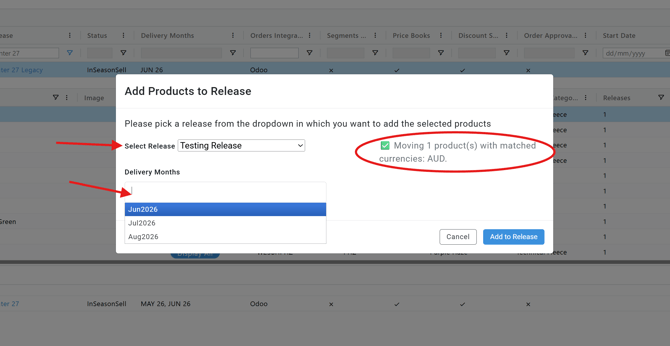
- Click the Select Release dropdown field (which defaults to a
- Confirm: Click the confirmation button to successfully add the selected products to the new release.
Tip💡: When opening the dropdown in the "Add Product to Release" modal, the system automatically filters out clutter. Only Active Releases associated with the selected brand will be visible. Marketing releases and expired releases are hidden by design to prevent accidental assignments.