.png?width=250&height=34&name=BS-logo-pb%20(1).png)
Why it matters
When a retailer wants to repeat or build on a previous order, copying saves time and reduces the risk of errors from starting fresh. Both options below create a Buy Plan for review before submission — nothing is submitted automatically.
Option 1 — Copy an existing order
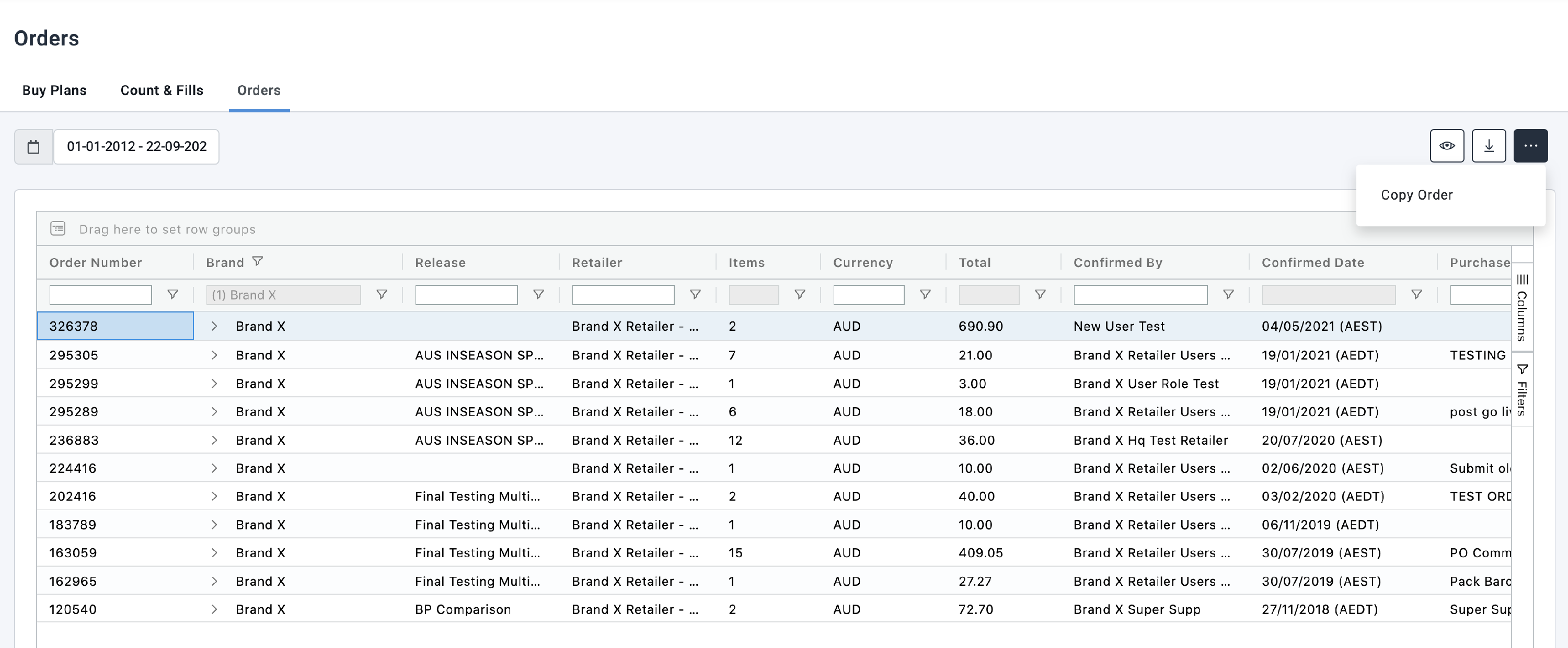
- Go to Orders > Orders
- Use the search box at the top of the column to find the relevant retailer's order
- Select the order and click the More icon
- From the dropdown menu, select Copy Order
- The order will be copied as a Buy Plan under the relevant Retailer's account, ready to review and submit
Option 2 — Reorder from a previous order
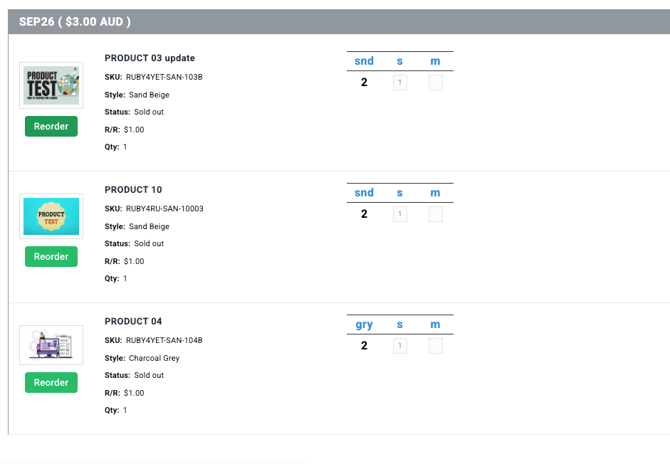
If the retailer has placed orders before, you can use the Reorder function to pull a previous order directly into a new Buy Plan.
- Go to Orders > Orders
- Locate and open the relevant retailer's previous order
- Select the Reorder button
- The previous order will be loaded as a Buy Plan for the retailer to review and submit