.png?width=250&height=34&name=BS-logo-pb%20(1).png)
Within Brandscope, Agents are connected to Retailers through the Territories feature. Suppliers can manage this via SETUP > TERRITORIES.
Agents can place orders for Retailers only if both are assigned to the same Territory and the Retailer has access to the relevant Release. Additionally, suppliers can restrict Agents from specific Releases via the Release Settings, giving precise control over who can sell what.
Territory Assignment:
-
Agents can be assigned to multiple Territories.
-
Retailers can only belong to one Territory.
-
Agents can view all Retailers within their assigned Territory or Territories.
The system is designed to streamline collaboration between Agents and Retailers. When a Retailer accesses a Release, it automatically generates a Buy Plan visible in both the Retailer’s and Agent’s accounts. This feature provides targeted sales leads for Agents while allowing both parties to edit and submit the Buy Plan as an order.
Agents can view their list of Retailers by navigating to Profiles > Retailers / Retailer Users
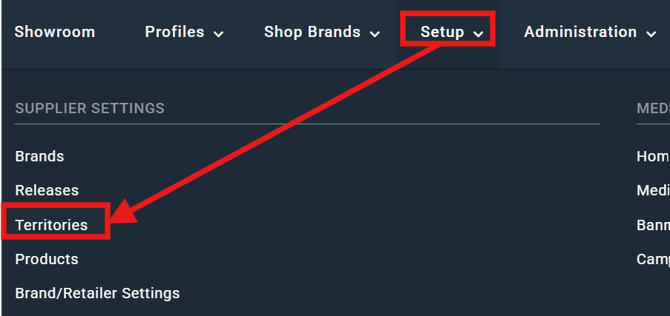
Suppliers retain full control over Territories through Setup > Territories. By selecting a Territory, they can also assign Retailers to it using the ... icon in the top-right corner of the grid.
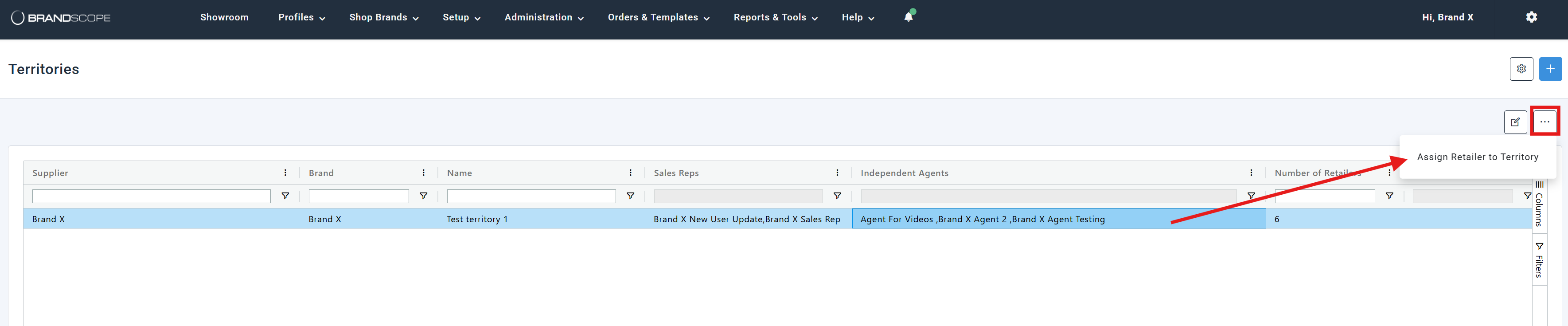
This ensures that assignments are clear, organized, and easy to manage.