.png?width=250&height=34&name=BS-logo-pb%20(1).png)
Why this matters
- Work faster with a layout that suits you
- Focus on the information most important to you
- Keep your preferred view saved for future use
Steps
- Go to Orders → Orders
- Adjust the grid:
- Drag columns to reorder
- Right click header to auto resize columns
- Resize columns manually
- Drag to far left to lock column in place
Once you’ve customised your view:
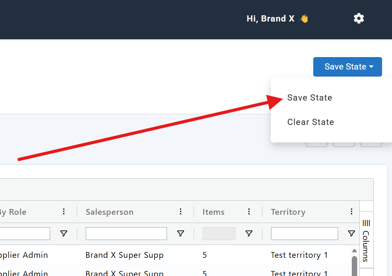
- Click Save State
- Your layout will be saved for next time
Reset to Default
If you want to revert back:
- Click Clear State
- The grid will reset to the default layout
🗒️ Note: Available to all Brandscope Users