.png?width=250&height=34&name=BS-logo-pb%20(1).png)
Why this matters
- Keep your account details accurate
- Control how information is displayed
- Manage access for your team
Update your Personal Details
The User Profile section is where any User can Edit Username or Edit Email of Users or add additional Users to the account.
- Go to Profiles → My Profile
- Select your user profile
- Click the Edit (✏️) icon
- Update your:
- Username
- Email address
- Click Save
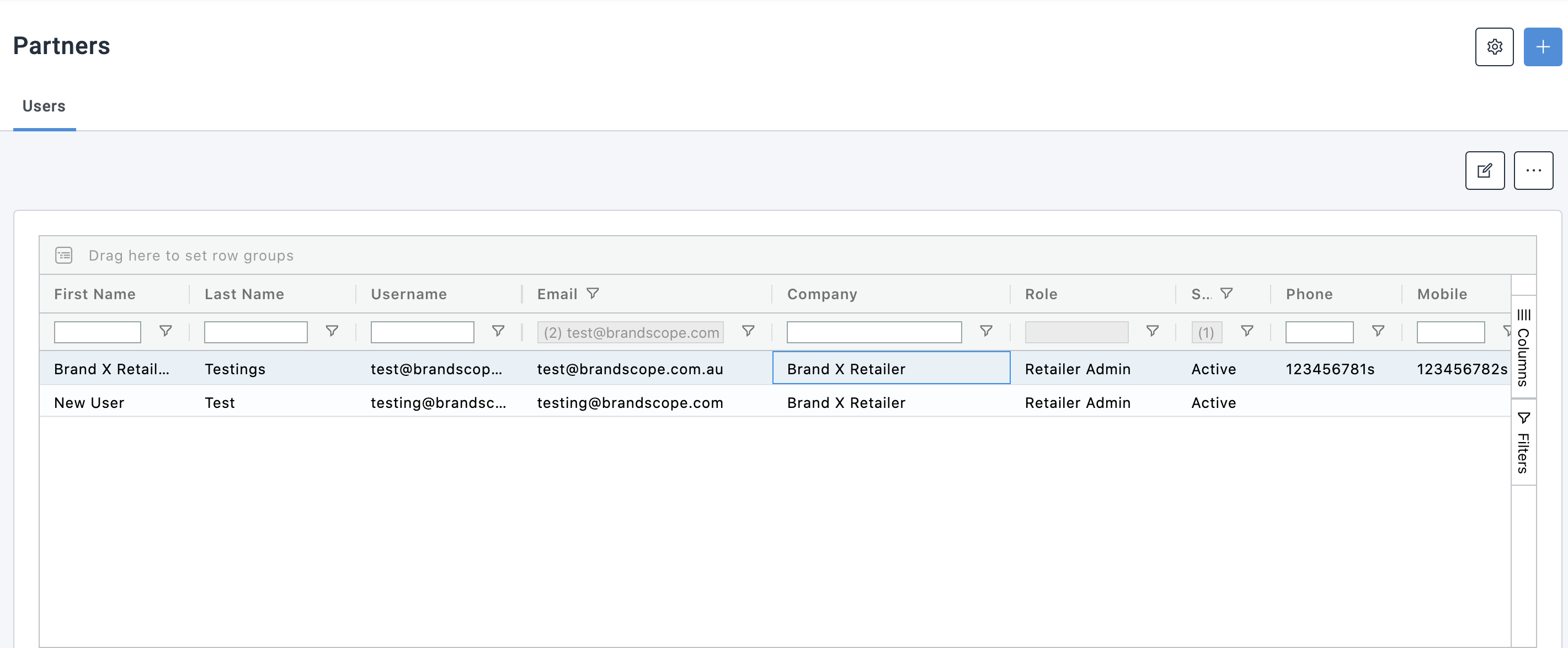
Warning: Your username must be unique, especially if you have multiple accounts
Update Profile Settings
Within My Profile, you can also manage display preferences:
- Hide W/S Price on Range Page
- Useful for retailers using Brandscope on the shop floor
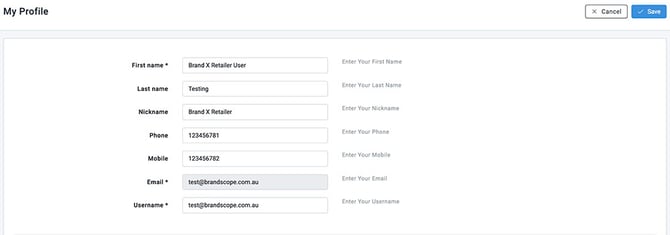
Add a New User
- Go to Profiles → My Profile
- Click the + (Add) icon
- Enter user details
- Assign permissions
- Click Save
💡 Tip: Keep your email up to date to receive order notifications